
Overview
Statusline Config is my status bar setup for Claude Code, packaged so anyone can have the exact same bar in their terminal. It is built on top of ccstatusline by @sirmalloc: this repo provides the configuration, a one-command installer and a small metric picker.
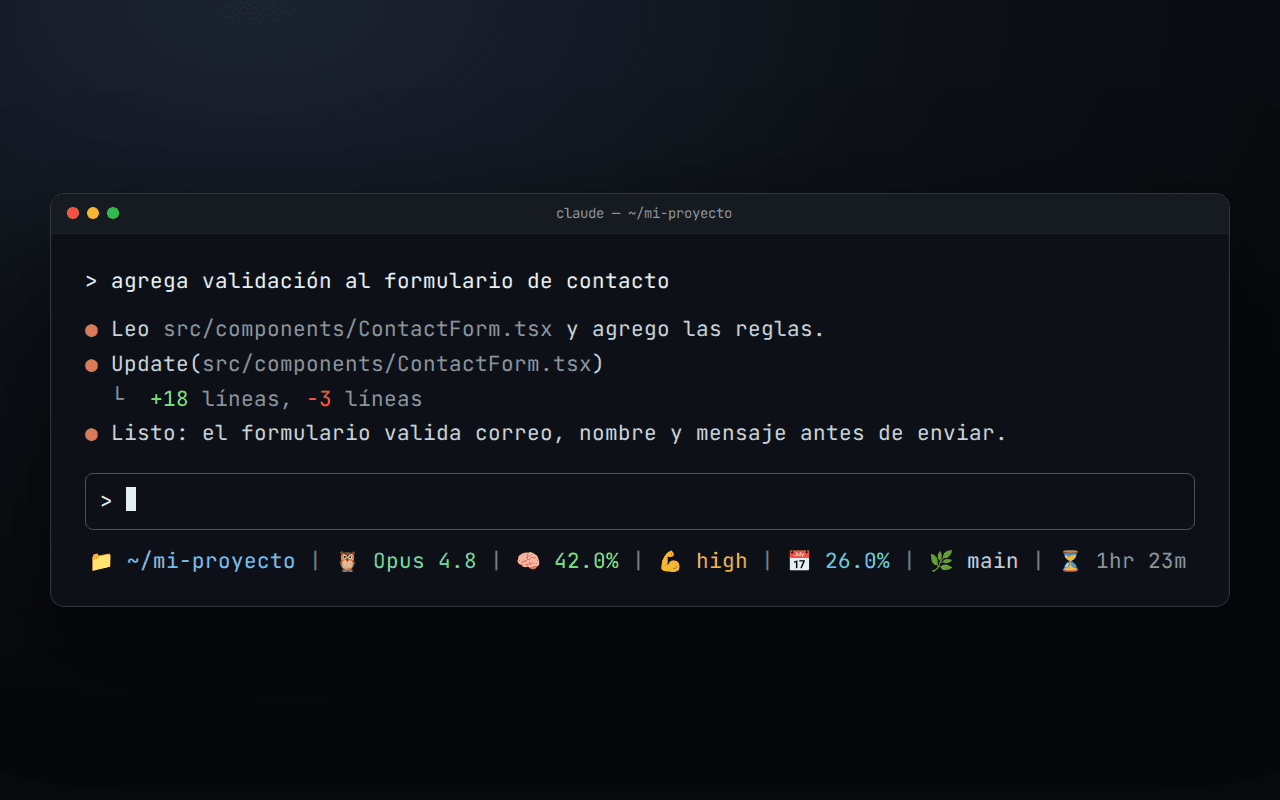
By default everything fits on a single line, each metric with its own emoji icon and color, as shown in the screenshot above.
Features
- Everything at a glance: working directory (with
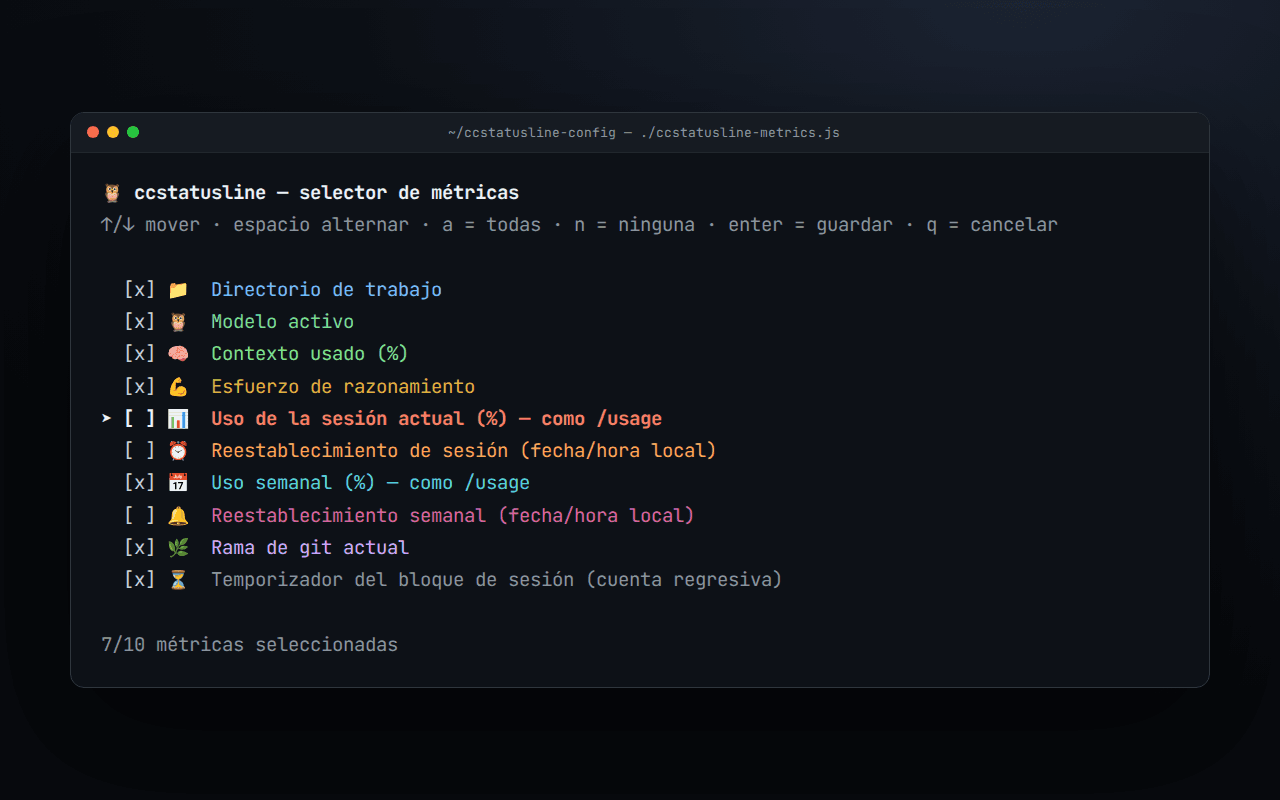
~for home), active model, context used, thinking effort, weekly usage (like/usage), current git branch and the countdown of the 5-hour session block - Optional metrics: current session usage, session limit reset time and weekly limit reset time, shown in local time instead of UTC
- GitHub Dark palette: each metric has its own color and emoji icon, separated by clean dividers
- One-command installer:
install.shcopies the config to~/.config/ccstatusline/settings.json, backs up any previous config and hooks the status line into~/.claude/settings.json - Metric picker:
ccstatusline-metrics.jsis an interactive terminal menu (arrow keys, space,a/n, enter) to toggle each metric, regenerate the settings and install them - Scriptable too:
--list,--set dir,model,week,git,--alland--noneflags for use without a TTY
Technical Details
- ccstatusline v3 settings:
custom-textwidgets for icons merged without padding,rawValuewidgets for model, context, effort, usage and block timer, and hex colors with true-color output - The git branch is a
custom-commandwidget: it reads thecwdfrom the JSON Claude Code sends on stdin and runsgit symbolic-ref, with a 1-second timeout so the bar never hangs - The metric picker keeps a canonical catalog of metrics as the single source of truth, so a metric turned off and back on is rebuilt with its original widgets and colors
- Zero extra dependencies: plain Node.js (
readlineraw mode for the menu) and Bash;npxdownloads ccstatusline on first run - MIT licensed